HTML5

- Tags are the building blocks of HTML, wrapped in
< >(e.g.,< p >) - Most tags come in pairs: opening
< tag >and closing< /tag > - Use meaningful tags for readability and structure
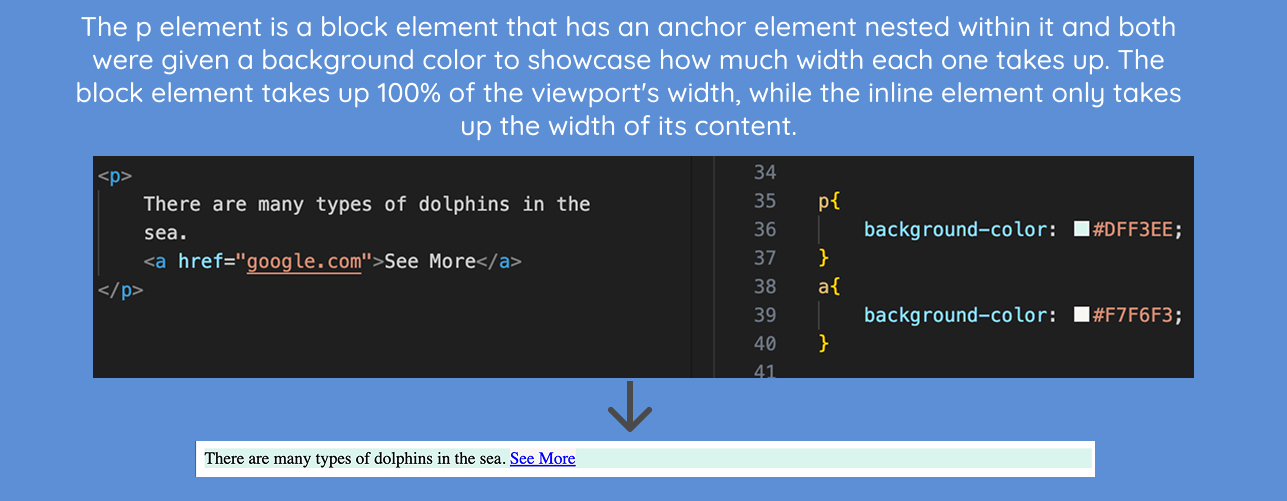
- Block elements take up full width (like
< div >, < p >) - Inline elements stay within text flow (like
< span >, < a >) - Inline goes inside block; block should not go inside inline

- Semantic tags describe the type of the content within them (like
< header >, < main >, < footer >) - Help with accessibility and SEO
- Make your code easier to read and organize
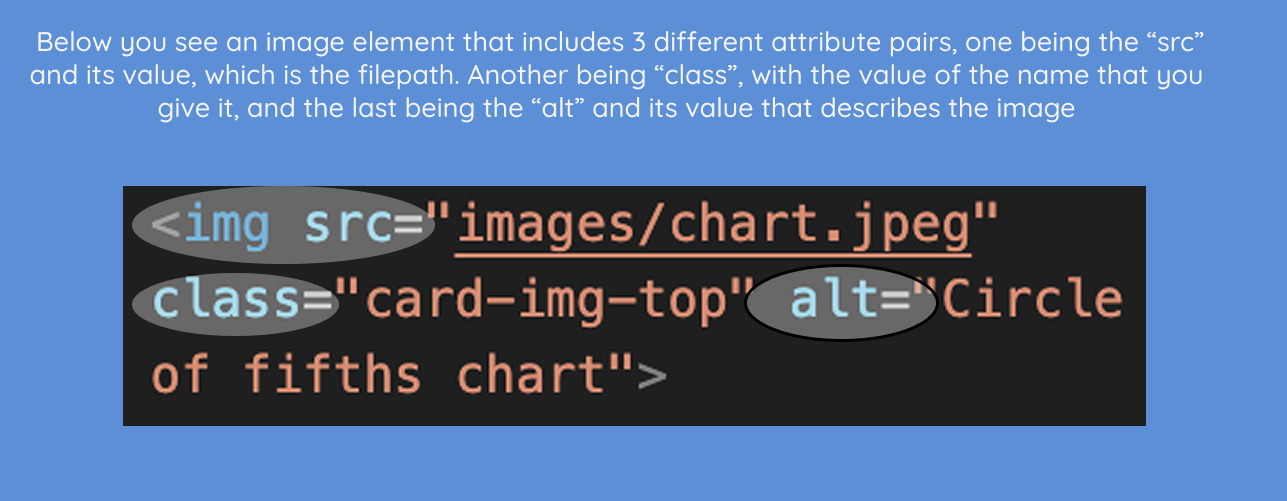
- Written as
attribute="value"inside a tag - Some are required (like
srcfor< img >) - Always use quotes to avoid errors
CSS3
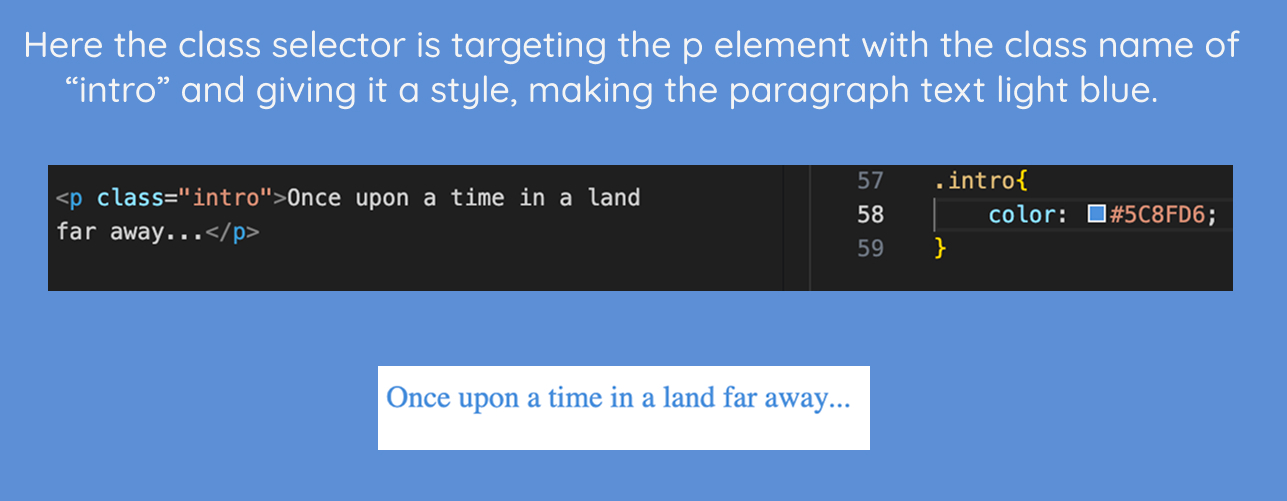
- Selectors “pick” what to style: element (
p), class (.card), ID (#header), and universal (*) - Specificity is like a power ranking; some styles override others
- Specificity ranking: ID > class > element > universal

- Every element is a box made of content, padding, border, and margin
- Padding = space inside the box, margin = space outside the box
- Mastering the box model helps you control spacing and layout like a pro
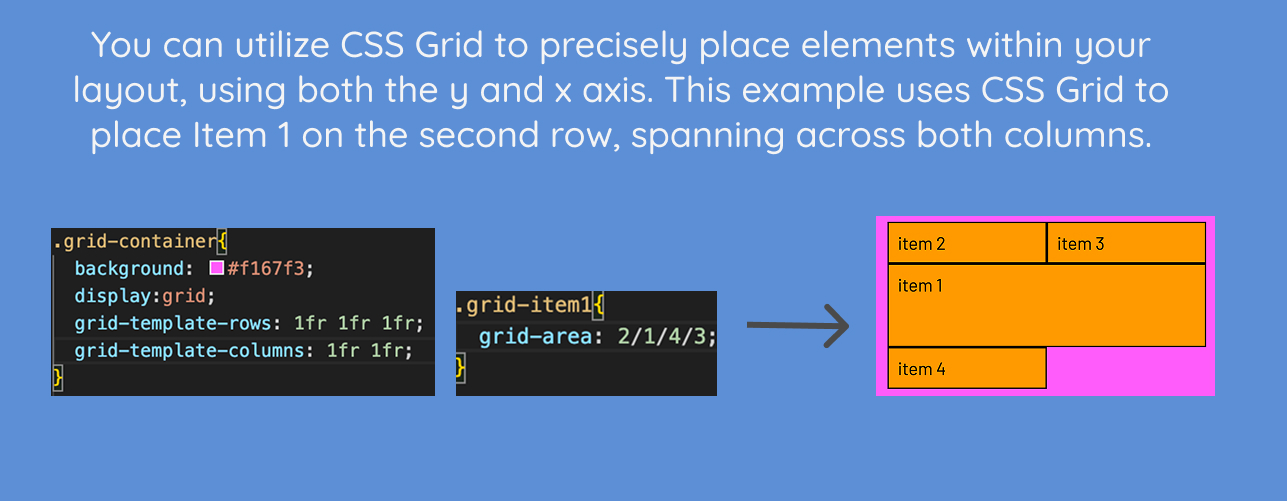
- Grid lets you build layouts in rows and columns (like a design tool)
- Start with
display: grid, then set your columns - It auto-organizes content so everything lines up nicely
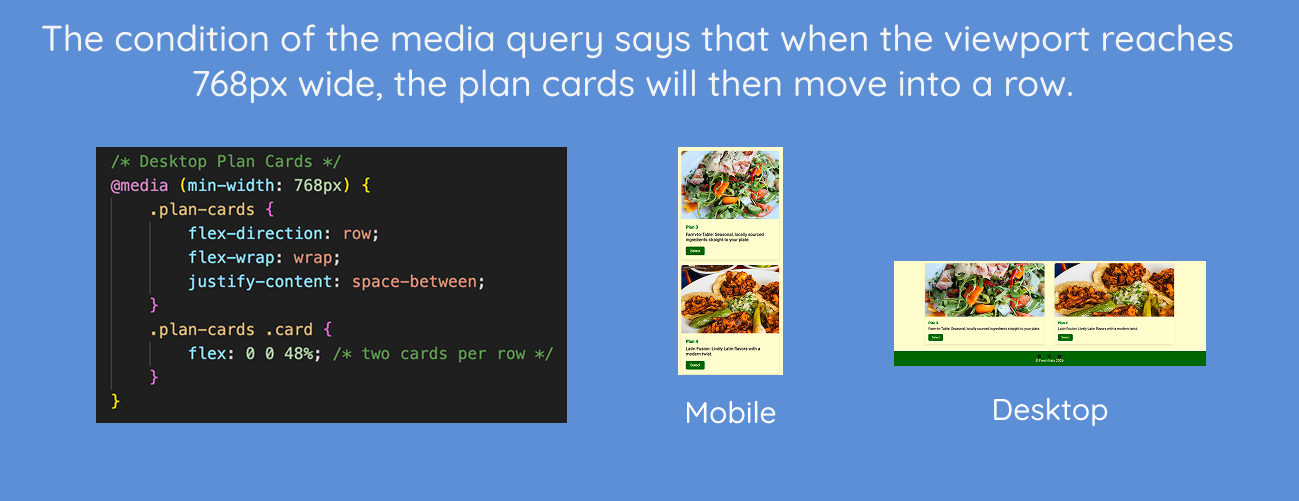
- Media queries allow your design to react to different screen sizes
- Written with
@mediato apply styles at certain viewport widths - Once the condition of the media query is met, the layout will change